AI Summary
How to 3D print stronger parts that look great too!
Full Summary
Key Quotes
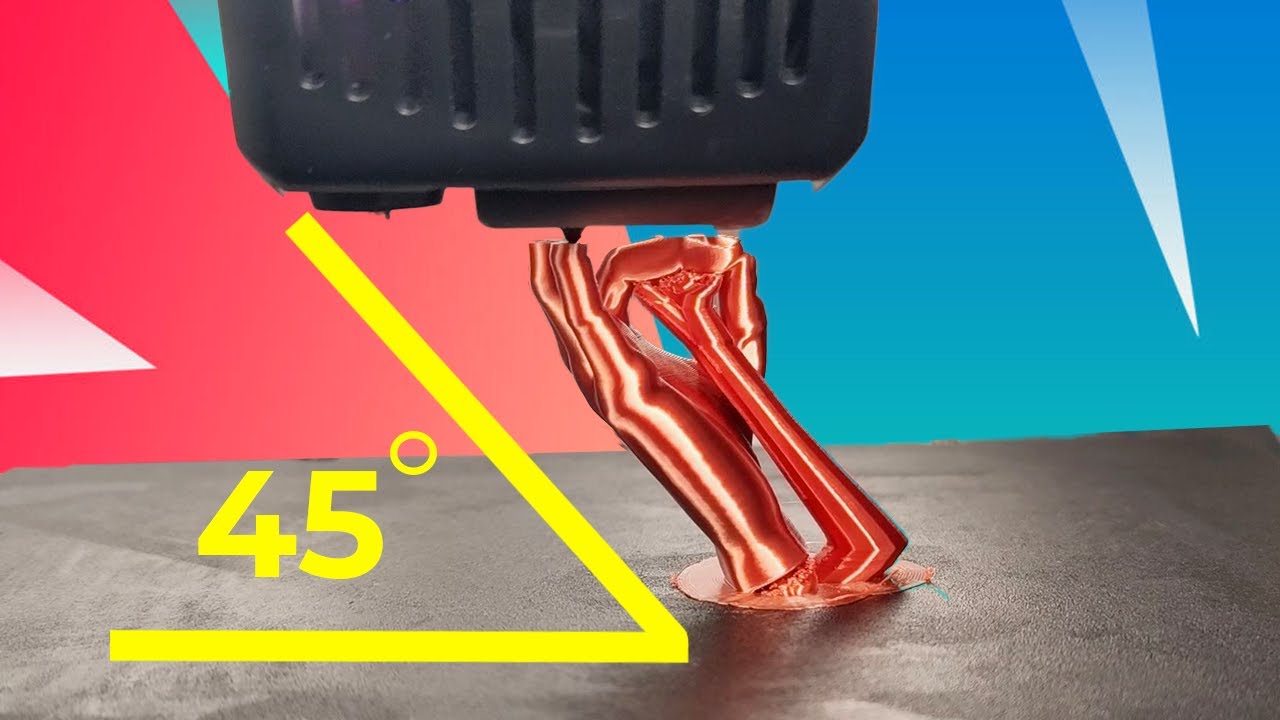
« when you print on an angle the lay line shift from horizontal or vertical to diagonal »
Explaining the core principle of diagonal printing.
« the weakest part of a 3D model are the layer lines oriented horizontally »
Identifying the weakest orientation for 3D printed parts.
« all you need to do is create a small flat Edge on your model »
A key step to improve adhesion when printing diagonally.
« at 45° every layer is in about 50% contact with the layer beneath it allowing it to print well »
Explaining the benefit of a 45-degree print angle.
« the bigger the angle the stronger your print will be but the harder it will be to print »
Trade-off between print strength and printability with angle.
Resources mentioned in the video
app
Cura
Slicer software used to prepare 3D models for printing, where the diagonal printing technique is applied.
app
Freed
3D modeling software that can be used to create a flat edge on a model.
app
Blender
3D modeling software that can be used to create a flat edge on a model.
other
Martin
The presenter of the video, from Lay Lab, demonstrating the 3D printing techniques.
Glossary
Layer Lines
The horizontal lines formed by the deposition of material in each layer during the 3D printing process.
Diagonal Printing
A 3D printing technique where the model is rotated on an angle, changing the orientation of layer lines from horizontal or vertical to diagonal.
Adhesion
The ability of the 3D printed layers to stick to each other and to the print bed.
Overhangs
Parts of a 3D model that extend horizontally without direct support from the layer below, requiring careful printing settings.
Support Blocker
A feature in slicer software like Cura that allows users to prevent supports from being generated in specific areas of the model.
Community Reviews
Thanks for your review!
Frequently Asked Questions
Printing vertically looks good but is weak, while printing horizontally is strong but may not look as good due to support structures or orientation.
Diagonal printing shifts layer lines to an angle, combining the aesthetic benefits of vertical printing with the strength closer to horizontal printing.
Create a small flat edge on the model by rotating it in slicer software or by pushing it slightly through the build plate to increase surface area contact.
Use a 100% cooling fan speed to ensure quick cooling of overhangs and a smaller layer height (e.g., 0.16mm) to make overhangs less aggressive.
A larger print angle generally results in a stronger part, but it also makes the print more challenging to execute successfully.